

Automatic Backup + Backup Now
The Automatic Backup (7-day rolling) section in the AI agent settings sub-tab. One section handles two things:
- Auto Backup: every day at 05 Taipei time, this AI agent’s conversations and settings are auto-saved, 7-day rolling retention
- Backup Now: instantly back up when you click the button
Where to find
OC-1 (or OC-2, HM-3) tab → Settings sub-tab → scroll to Automatic Backup (7-day rolling) section
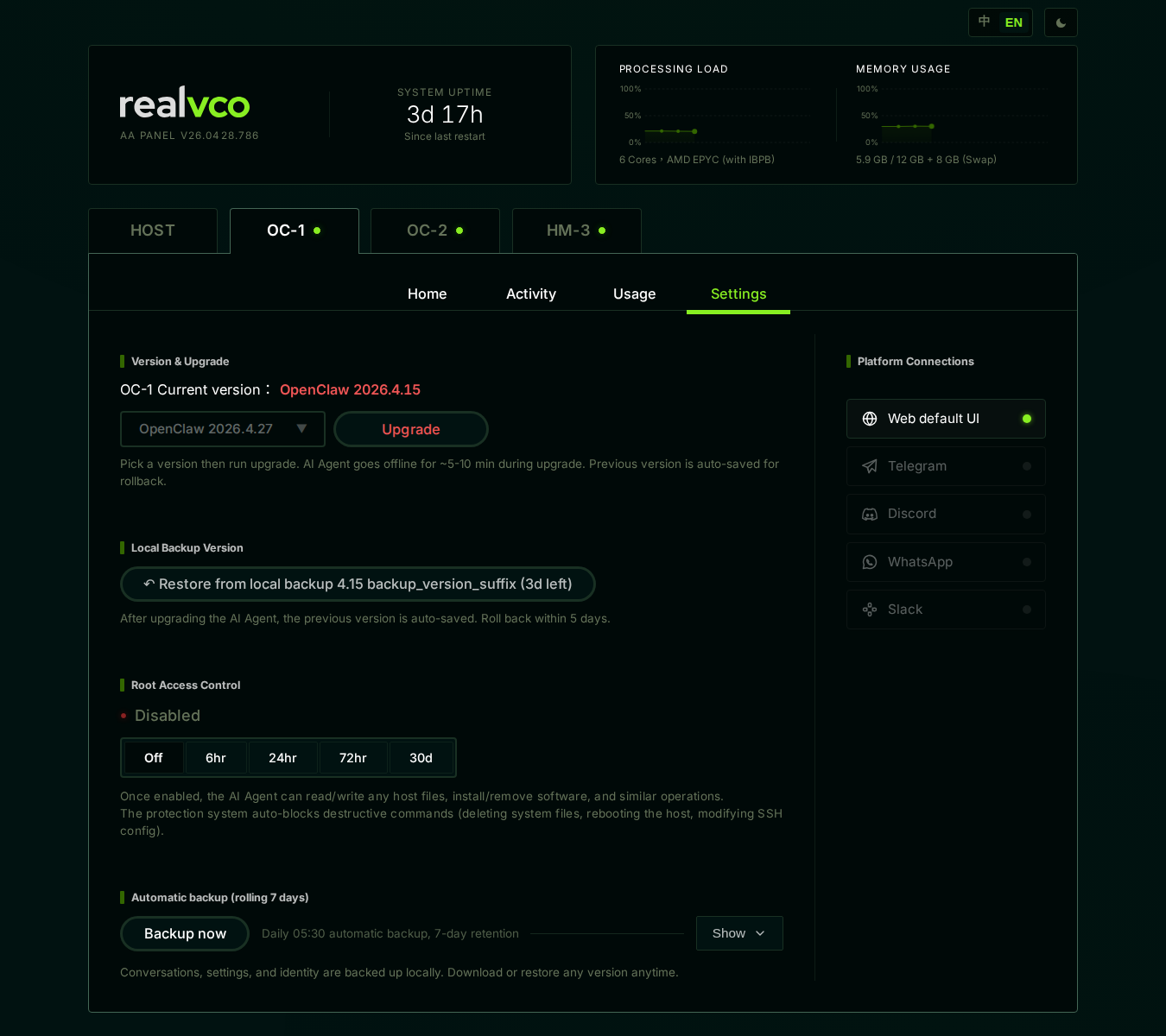
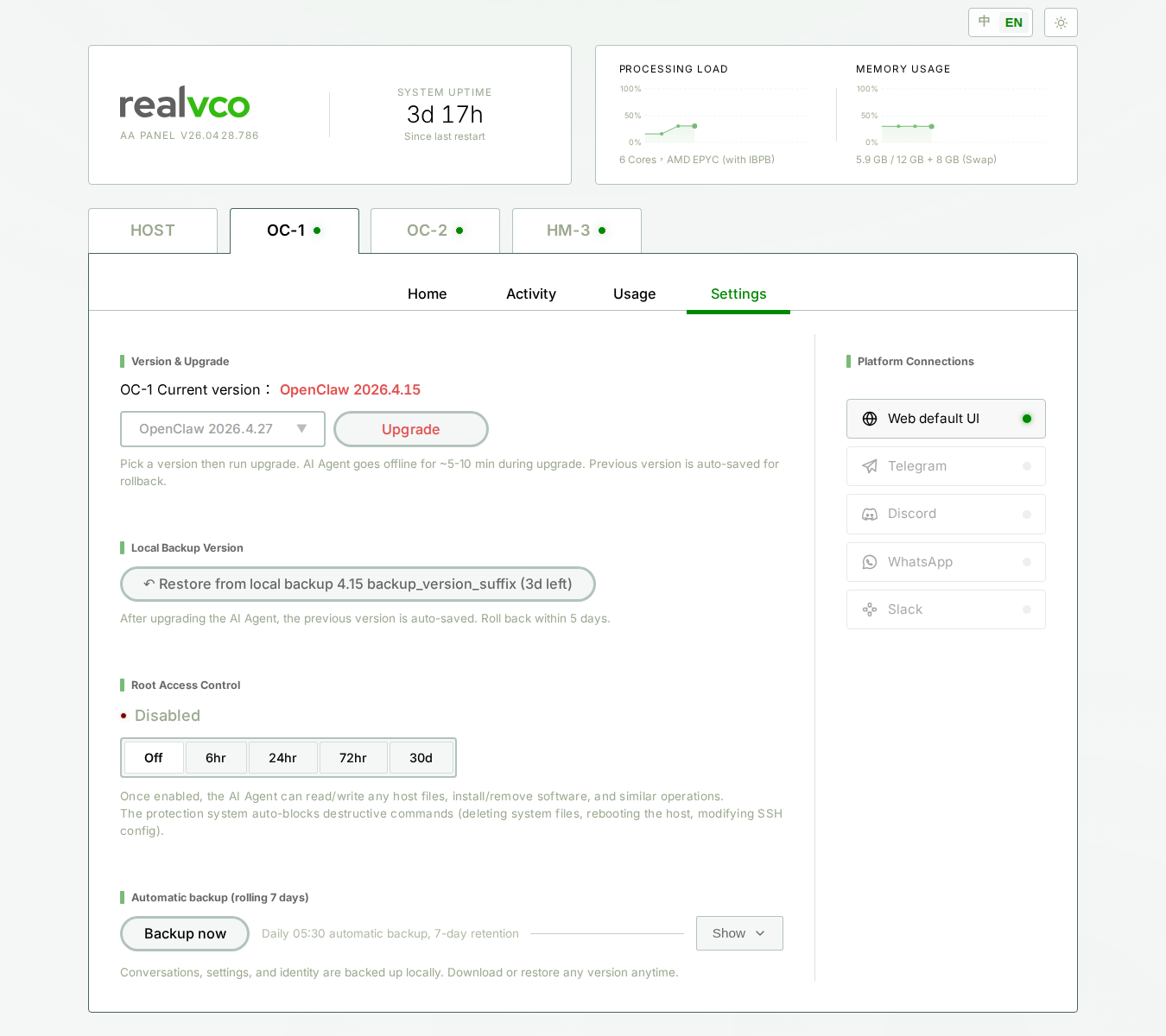
Section contents
| Element | Description |
|---|---|
| Backup Now (button) | Don’t wait for tomorrow, backup right now |
| ”Daily 05 auto backup, 7-day retention” | Auto backup config note (not adjustable) |
| Show (dropdown) | Expand to see all existing backup files (download / restore) |
Automatic Backup
Triggers
| Trigger | Behavior |
|---|---|
| Daily 05 Taipei | System auto-runs backup |
| First admin-panel startup | Initial backup at first launch (so you have a baseline) |
| Admin-panel restart | No extra backup — only at 05 |
Retention policy
7-day rolling. New ones come in, day-8 oldest is auto-deleted. So you always have 1-7 days ago available.
How to verify auto backup is working
Click Show dropdown → expands to show last 7 days’ backups (each dated). All 7 days have files = working.
If a day is missing:
- That day at 05, admin-panel might have been down (rare)
- Host was off / paused at 05
What to do: manually click Backup Now to fill in.
Backup Now
When to use
Auto backup runs once daily at 05
. But when you’re about to make big changes and want a fresh backup right now, use the Backup Now button.When to use:
- Before AI agent upgrade
- Before bulk settings change
- Before experiments — safety net
How to do it
Step 1: click Backup Now
Click directly, no confirmation dialog — non-destructive (just adds a backup file).
Step 2: wait for completion
Backup runs in background, usually 10-30 seconds. When done:
- Backup Now button briefly disabled
- Re-enabled after completion
- Show dropdown — newest entry at top is just-created backup (timestamp = now)
Does Backup Now count toward 7-day rolling?
| Property | Auto Backup | Backup Now |
|---|---|---|
| Trigger | Daily 05 auto | You click |
| Time | Fixed | Anytime |
| Counts toward 7-day rolling? | Yes | Yes |
| Content | Same (conversations + settings) | Same |
⚠️ Important: Backup Now also counts toward 7-day rolling. If you click Backup Now 5 times today + 05
auto runs tomorrow, that’s 6 backups. After 7 days, oldest gets pushed out.If you want to permanently keep one (e.g. “clean v2026.4.27 pre-upgrade version”), download to local right after backing up — don’t rely on system retention.
What’s backed up
| Content | Included |
|---|---|
| Conversation history (all of this AI agent) | ✅ |
| Persona / character prompt | ✅ |
| Skill configuration | ✅ |
| Model preferences | ✅ |
| User settings | ✅ |
| Container startup config | ❌ (managed by OpenClaw / Hermes engine) |
| Host-level files / software / system settings | ❌ (use “Host Restore Point” for that) |
| AI engine version itself | ❌ (use “Local Backup Versions” for that) |
Summary: this section backs up “single container’s conversations and settings”, not the whole machine, not the engine version.
Three standard scenarios
Scenario A: Upgrading AI agent version
- Click Backup Now (10-30 sec)
- Show dropdown → topmost entry → click Download to local
- Then upgrade version
- Failed upgrade → use Local Backup Versions one-click rollback (within 5 days); or restore manually from your downloaded file
Scenario B: Changing important settings (persona prompt, model, skills)
- Click Backup Now
- Change settings, test
- Not satisfied → Show dropdown find the just-made backup → Restore to revert
Scenario C: Monthly insurance
- First of the month, click Backup Now
- Show dropdown → Download
- Save to Google Drive / iCloud / external drive — permanent storage
FAQ
Q: Can I change the auto backup time?
Not currently — fixed at 05
Taipei. Reasons:- Most customers are sleeping
- Cross-timezone customers minimally affected
- Doesn’t conflict with other host maintenance tasks
Q: 7 days isn’t enough, want longer retention?
Two solutions:
- Show list → find the day you want → click Download to local for long-term keeping
- Before important actions, manually Backup Now + immediately download — don’t rely on 7-day rolling
Q: Will 7-day backups eat my host storage?
No. Each backup contains “conversations + settings” (data only), usually a few hundred KB to a few MB. 7 backups together rarely exceed 100 MB.
Q: How many times can I click Backup Now per day?
No hard limit, but each click takes one slot in the 7-day rolling window. Click 7 times → all auto backups get pushed out.
Q: Why does Backup Now have no confirmation dialog?
Because it’s add-only, never destructive. Clicking by mistake won’t affect existing data — just adds an extra backup file.
Q: Will the AI agent be interrupted during backup?
No. Backup is a read operation, AI agent keeps running.
Related
- Local Backup Versions — Engine version rollback (not conversation backup)
- Create Host Restore Point — Whole-machine snapshot
- Settings sub-tab overview — 5-section map